Getting started#
The following section will give you a first introduction to the Imaging Server Kit via interactive demos.
Run the Napari demo#
The Napari demo will give you a first idea of what the package can do. From a terminal, run:
serverkit demo napari
This command should open a Napari viewer with the Imaging Server Kit plugin already loaded. In the Algorithm dropdown, you will see a list of “demo” algorithms.
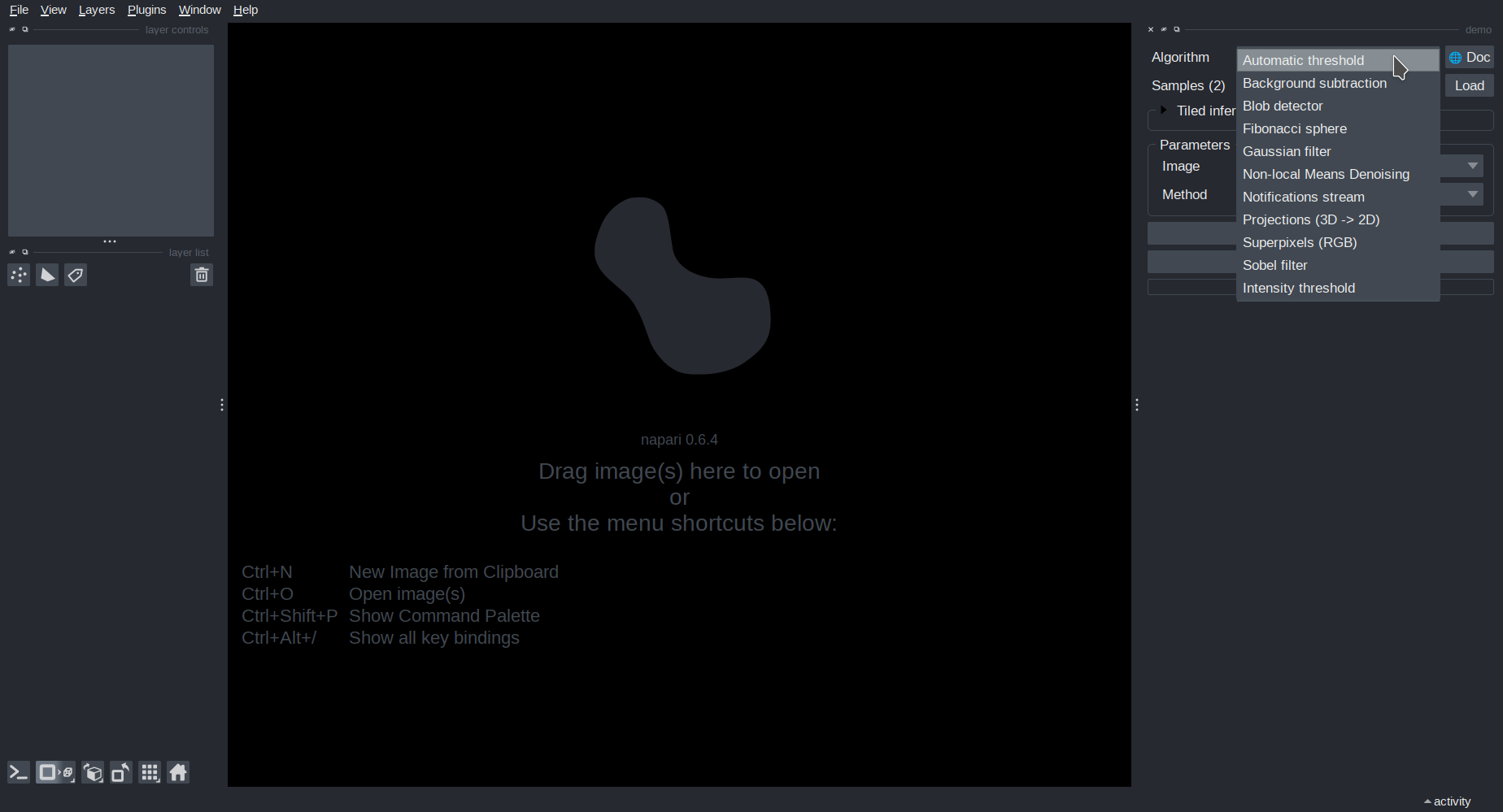
When you select an algorithm, the Parameters panel will update to display a list of tunable parameters for this algorithm.
Most algorithms require an input image. You can load a sample image from the Samples dropdown. Once you have loaded an image, you can run the algorithm and visualize the results in the Napari viewer.
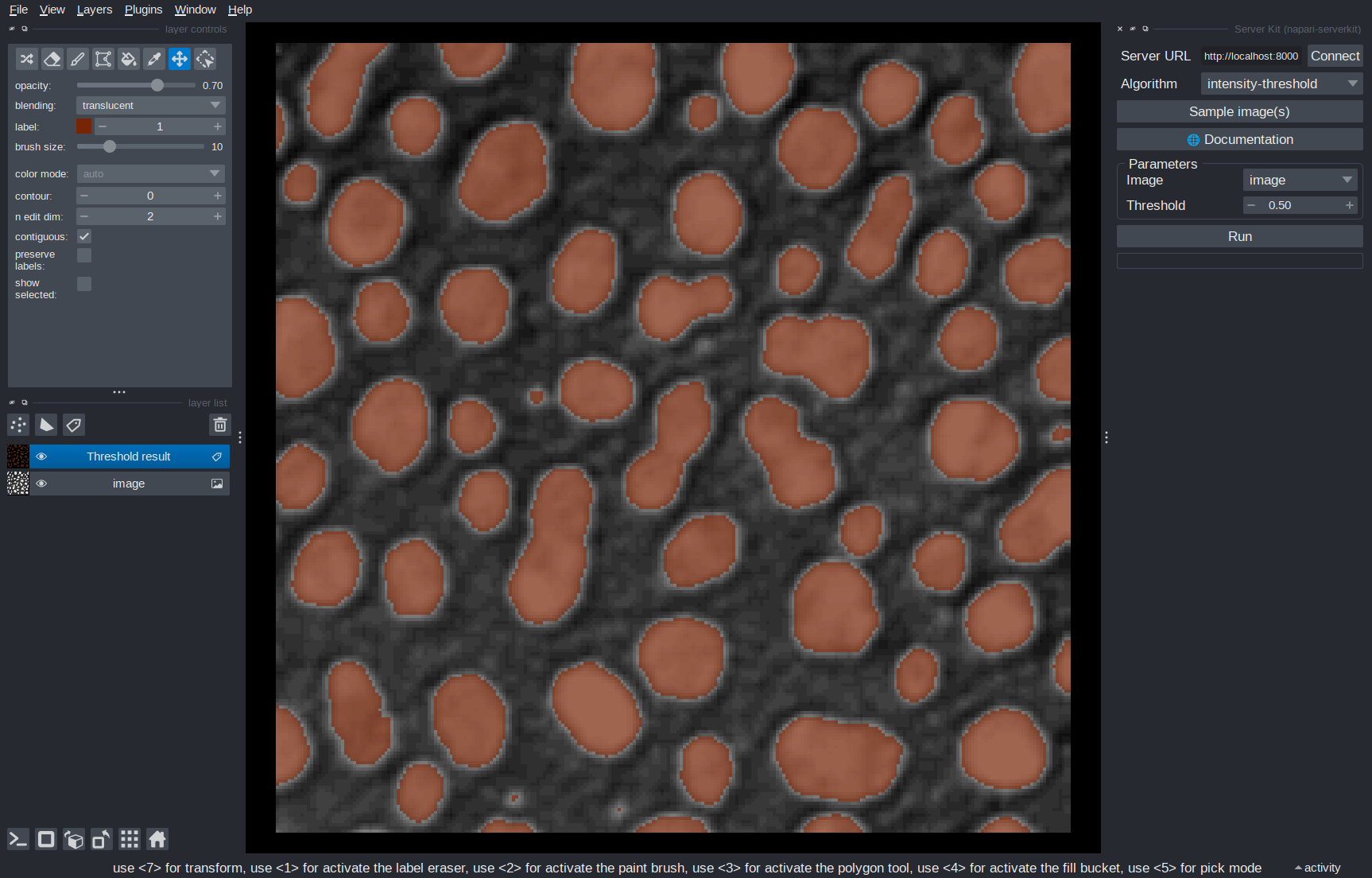
Some algorithms automatically re-run when you change a parameters; for example, Intensity threshold updates the output directly when you adjust the threshold value.
Algo docs
You can access a documentation page for an algorithm in a web browser by clickin the 🌐 Doc button. The documentation page provides a description of the algorithm as well as detailed information about its parameters.
Run the server demo#
To explore how algorithms can be served over HTTP, start the local demo server:
serverkit demo serve
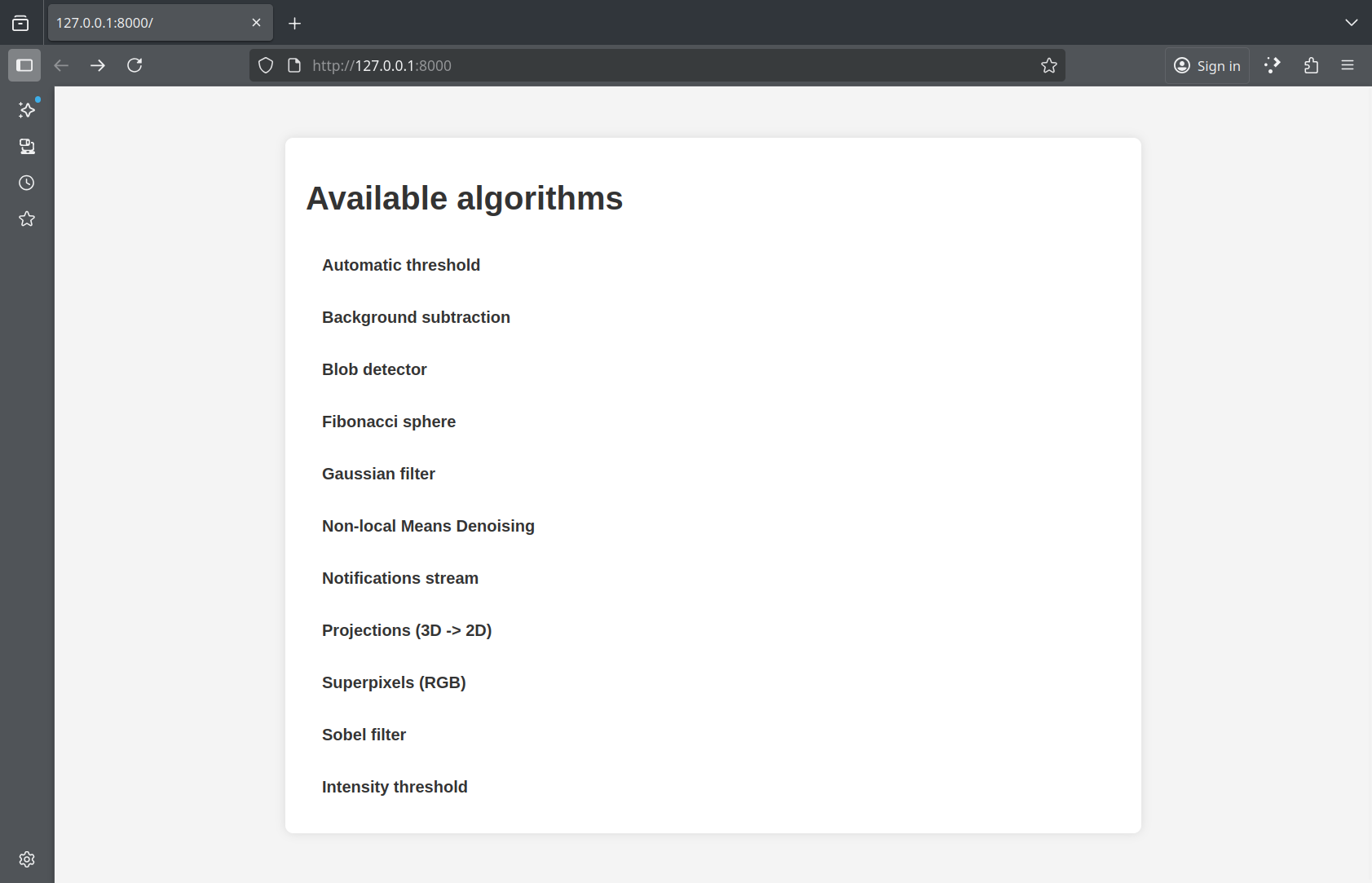
This launches a web server on your local machine at http://localhost:8000. If you open that page in your browser,you will see an overview of the algorithms available on the server.
Connect from Napari#
While your server is running, you can connect to it directly from Napari. Open another terminal and run:
napari -w imaging-server-kit
This is equivalent to opening the plugin in Napari from Plugins > Imaging Server Kit > Connect to server.
In the plugin panel, enter the server address (http://localhost:8000) and press Connect. The Algorithm dropdown will populate with the available algorithms. You can use them just like in the local case.
Note
In this demo, both client and server run on your local machine, but keep in mind that the server could also be hosted on another machine in your local network (workstation, cluster node, raspberry pi, etc.).
Connect from QuPath#
You can also use Imaging Server Kit algorithms direction from QuPath via QuBaLab, for segmentation and bounding box detection tasks. To try this out, you can run the command:
serverkit qupath
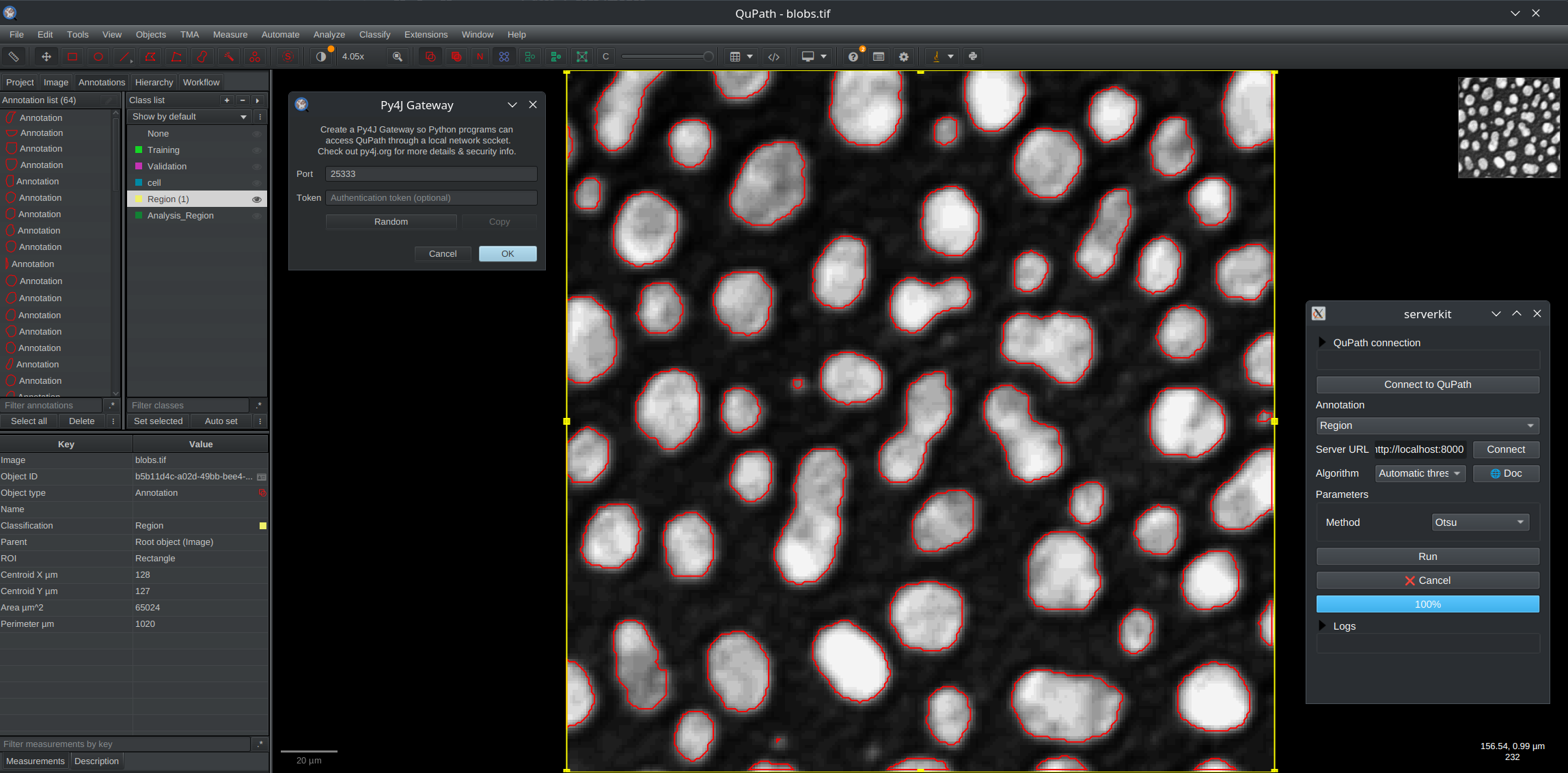
This will bring up a user interface similar to the dock widget you used in Napari, with an extra field for connecting to QuPath via Py4J. Next, in a QuPath project:
Open an image, for example
blobs.tif.Draw a rectangular annotation in a region of interest (or use
Ctrl+Shift+Ato select the whole image).Assign a class to this annotation via the QuPath
Annotationsmenu, for example the classRegion.
After that, start a Py4J gateway from QuPath via the qupath-extension-py4j (you can specify a token and port if needed). Then, click Connect to QuPath in the Imaging Server Kit window. The Annotation dropdown should now be filled with annotation class names (e.g., Region).
Finally, with your server still active on http://localhost:8000, click on Connect to discover and use the algorithms available on that server. For this demonstration, you should be able to run a simple threshold on an image in QuPath!
Next steps#
In the next section, you will learn to create your own algorithm in Python, so that it can be served, documented, and used in Napari just like the examples from the demo.