Providing samples#
Samples are predefined sets of parameter values that demonstrate how an algorithm can be used. They allow users to load example images along with corresponding processing parameters, and to run the algorithm on these samples.
Defining samples#
When defining an algorithm with the @sk.algorithm decorator, you can specify a list of samples through the samples=[] argument. Each entry should be a Python dictionary representing one set of sample parameters (mapping parameter names to values).
Here is an example for our threshold algorithm:
import imaging_server_kit as sk

import skimage.data

@sk.algorithm(
    parameters={"threshold": sk.Integer(name="Threshold", min=0, max=255, default=128)},
    samples=[
        {
            "image" : skimage.data.coins(),  # <- A sample image
            "threshold" : 100,  # <- Threshold for that sample image
        }
    ]
)
def threshold_algo(image, threshold):
    mask = image > threshold
    return sk.Mask(mask)

# Test the algorithm in Napari
sk.to_napari(threshold_algo)
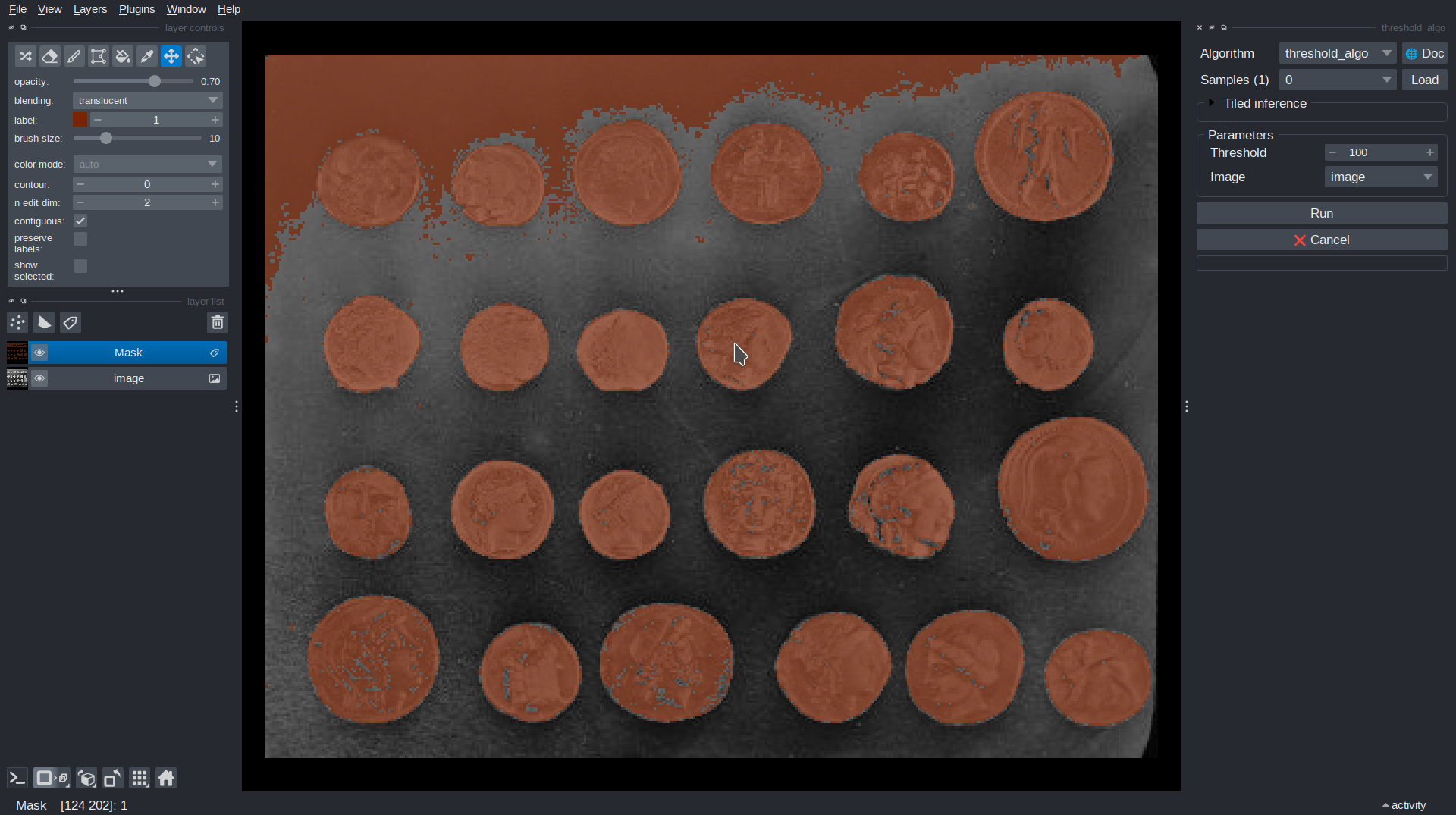
In this example, the sample provides the coins image as a representative image as well as a pre-set thresholded value (100).
When running the algorithm in Napari, you can load the sample from the Samples dropdown. This will display the example image into the viewer and set the value of “Threshold” in the parameters panel to 100.
Note
A sample image, particularly (corresponding to a sk.Image field) can be a Numpy array, a URL to an image hosted online or a Path to a local file, which gets loaded when the sample is requested.
Summary#
Use
samples=[]to provide predefined parameter values for your algorithms, including example images.Sample images can be NumPy arrays, URLs, or local file paths.
Next steps#
In the next section, we will see how to further enrich our algorithm by adding metadata to it.