2. Add samples and metadata
In this step, you will add samples and metadata to the threshold algorithm from the previous step.
Samples
Samples are predefined sets of parameter values meant to show how an algorithm can be used. They let users load an example image along with a suggested set of parameter values.
You can provide samples through the samples=[] argument of @sk.algorithm. Each entry is a dictionary mapping parameter names to values:
import imaging_server_kit as sk
import skimage.data

@sk.algorithm(
    parameters={"threshold": sk.Integer(name="Threshold", min=0, max=255, default=128)},
    samples=[
        {
            "image": skimage.data.coins(),  # <- A sample image
            "threshold": 100,  # <- Threshold for that sample image
        }
    ],
)
def threshold_algo(image, threshold):
    mask = image > threshold
    return sk.Mask(mask)

# Test the algorithm in Napari
sk.to_napari(threshold_algo)
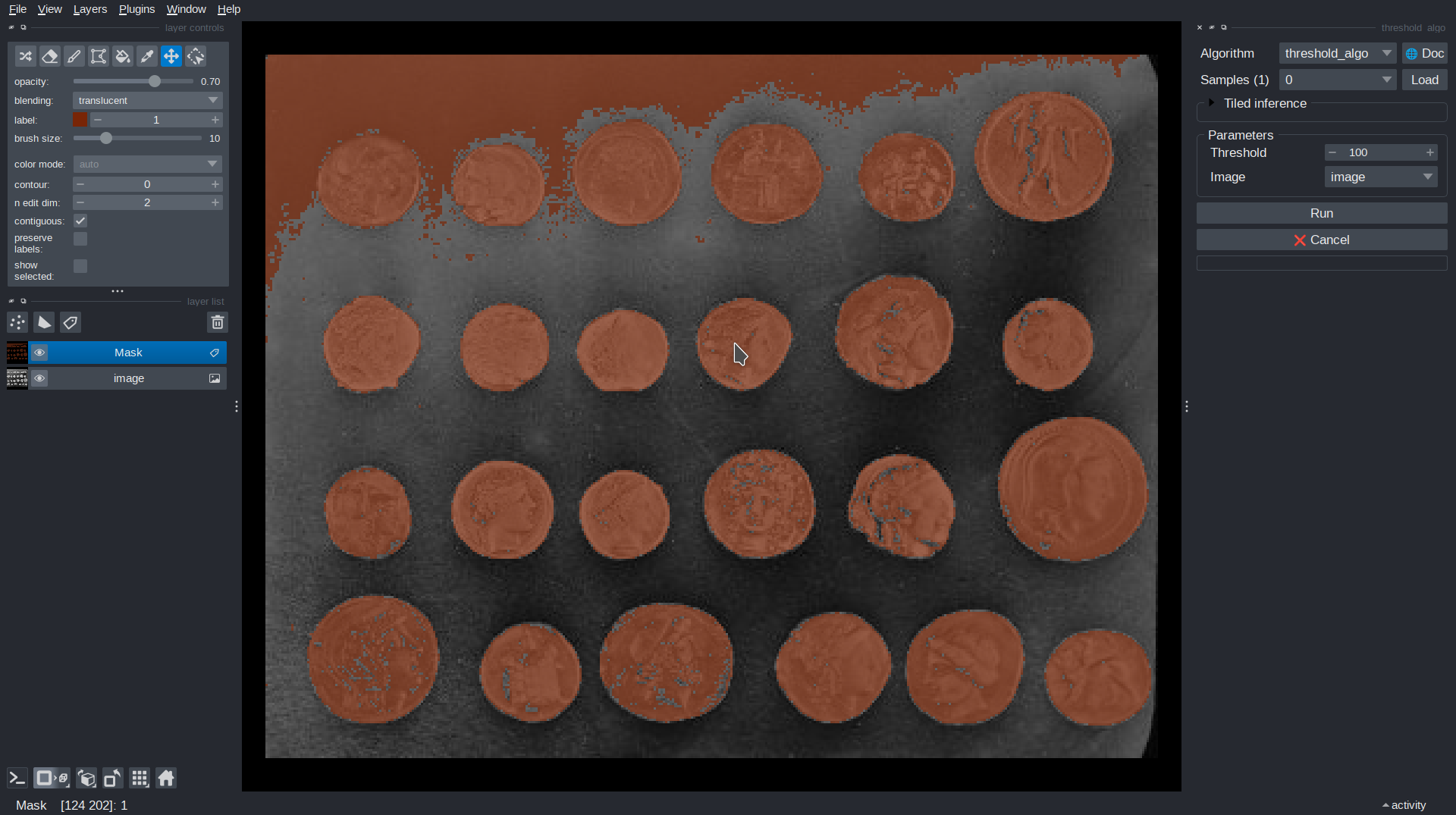
Here, the sample provides the coins image and a threshold value of 100.
In Napari, select the sample in the Samples dropdown and click Load. This adds the example image to the viewer and sets Threshold to 100 in the parameters panel.
Note
A sample image (a value for an sk.Image parameter) can be a NumPy array, a URL to an image hosted online, or a Path to a local file. URLs and paths are loaded when the sample is requested.
Metadata
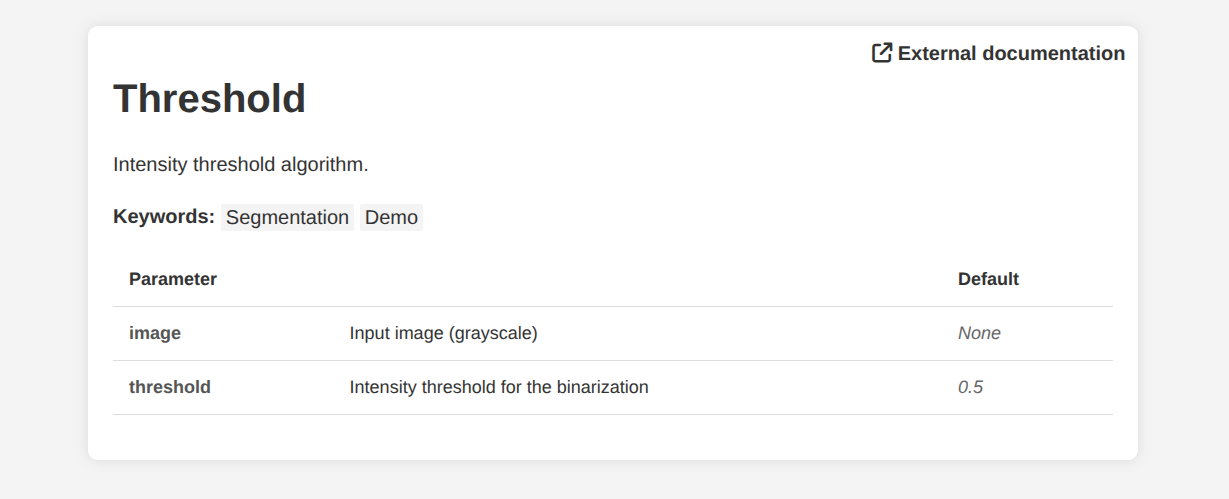
Every algorithm automatically gets a documentation page describing its purpose and parameters. The page is filled from metadata given to @sk.algorithm, and from the name and description of each parameter:
import imaging_server_kit as sk

@sk.algorithm(
    parameters={
        "image": sk.Image(
            name="Image",
            description="Input image (grayscale)",
        ),
        "threshold": sk.Float(
            name="Threshold",
            description="Intensity threshold for the binarization",
            default=0.5,
        ),
    },
    name="Threshold",
    tags=["Segmentation", "Demo"],  # A list of tags (arbitrary)
    project_url="https://github.com/Imaging-Server-Kit/imaging-server-kit",
)
def threshold_algo(image, threshold):
    """Intensity threshold algorithm."""  # <- Displayed as the algorithm description
    mask = image > threshold
    return sk.Mask(mask)

threshold_algo.info()  # <- Open the documentation page in a web browser
If you don't pass a description, the docstring of the function is used instead.
In Napari, click the 🌐 Doc button to open the documentation page in a web browser. Calling .info() on the algorithm has the same effect.
Summary
- Use
samples=[]to provide example parameter values, including example images. - Sample images can be NumPy arrays, URLs, or local file paths.
- Metadata fields such as
name,description,tags, andproject_urlfill the algorithm's documentation page. - Open the documentation page with
.info()or the 🌐 Doc button in Napari.
Next steps
Next, we will serve our algorithm over HTTP.